

Mrs Clever
Big Picture Planning Pack - Letter Size - (Digital Download)
Big Picture Planning Pack - Letter Size - (Digital Download)
Couldn't load pickup availability
Share
Feeling busy but still unsure what deserves your time?
The Big Picture Planning Pack is designed to help you step back, gain clarity, and make intentional decisions before you plan your days.
This isn’t about doing more.
It’s about choosing better.
What this pack includes
This planning pack includes the same system-based pages used inside the Daily Dashboard, formatted so you can print and add them to your planner as needed:
-
Big Picture Plans
Map out your year at a glance and capture the goals, themes, and milestones that matter most — without pressure to plan every detail at once. -
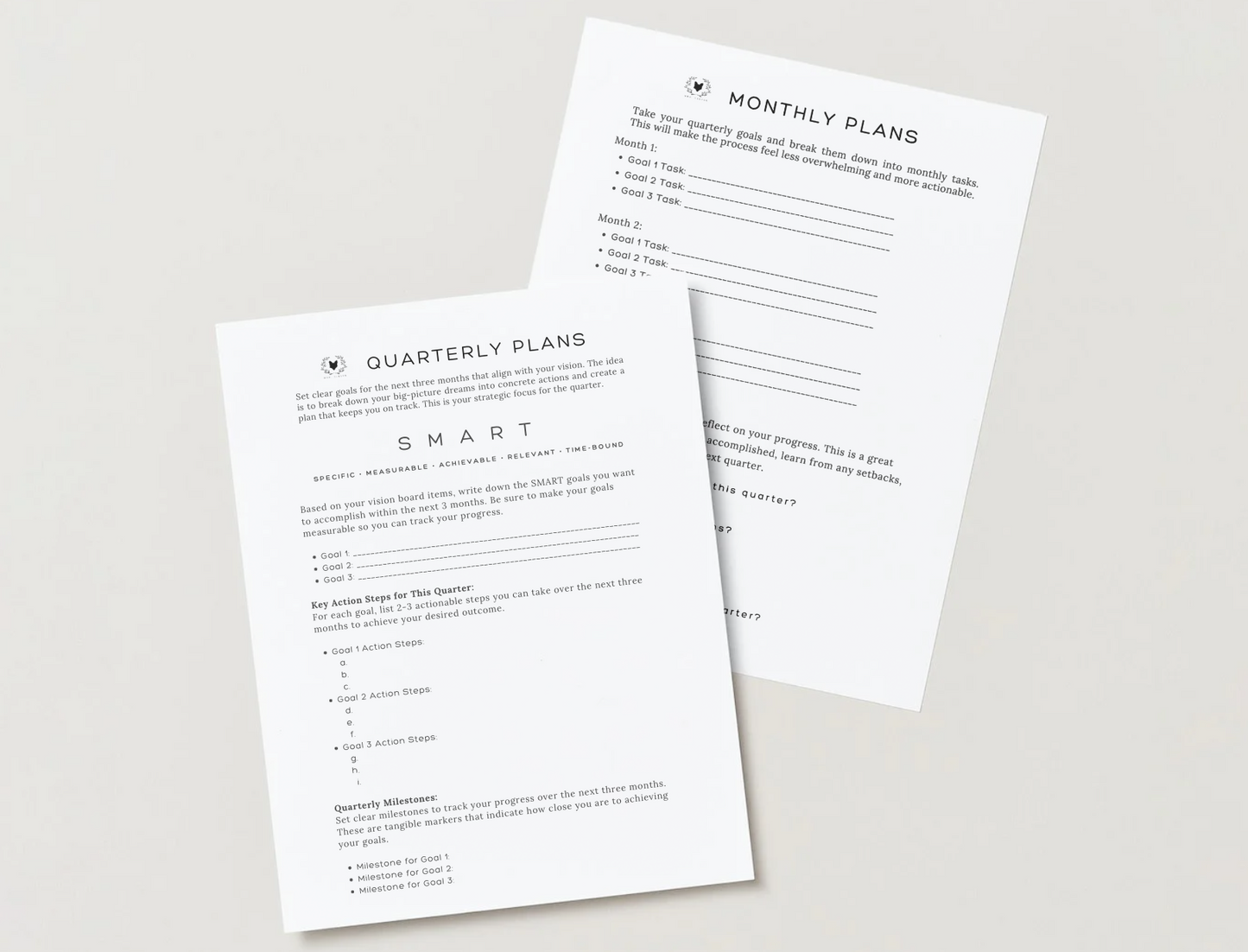
Quarterly Plans
Set meaningful 90-day goals, identify key action steps, and track milestones that move you forward over the next quarter. -
Monthly Plans
Translate your quarterly goals into realistic priorities you can actually manage month by month. When something changes, simply print a fresh sheet and recalibrate. -
Priority Mapping
Decide what matters most before you plan your days. Identify your current focus areas, choose top priorities, and give yourself permission to pause what doesn’t belong in this season.
How you’ll use these pages
- Create a fresh Quarterly Plan at the start of each new quarter
- Revisit your Quarterly Plan each month to guide your monthly focus
- Use Monthly Plans to align your goals with real life
- Return to Priority Mapping anytime you feel scattered or overwhelmed
Why this works
When your priorities are clear, planning becomes easier — and your days feel calmer and more intentional.
The Big Picture Planning Pack helps you:
- Stay focused on what matters most
- Make confident planning decisions
- Adapt when life shifts
Format & Details:
Size: Letter (8.5" x 11") — fits discbound, 11 disc covers
Pages: Designed as a printable PDF (print as many times as you need)
Paper Recommendation: 32 lb. premium paper for smooth writing, no bleed-through
Printing: Compatible with duplex (double-sided) printing; full instructions are here.
Prefer this already printed and ready to use?
Explore the Daily Dashboard planner for a beautifully printed, tabbed system designed to support productive and present days.
General Printing Instructions:
- To print inserts, you’ll need Adobe Reader or Adobe Acrobat software. This is a free software that can be downloaded. Your insert will not print correctly if you print from a browser or a preview version. Make sure your insert is “centered” on the paper within the print preview window. If you do not open your file with this program, your insert will not print correctly.
- If you have a non-duplex printer, print all odd pages first, then even pages. Every printer is different so take notice of how your pages print. This way you can reorder your pages so that the even pages print in the correct order once they're printing on the back of what you've already printed. I always try this out on test pages first, just to figure out how the paper needs to be loaded in the printer.
The Shop is not responsible for printer issues or accidental purchases.
Digital files are non-refundable nor exchangeable. NO PHYSICAL PRODUCT WILL BE MAILED TO YOU. THIS IS A DIGITAL DOWNLOAD FILE ONLY.
Refunds:
Due to the fact that our products are all digital downloads, refunds are not accepted.
COPYRIGHT :
These files may not be shared or resold in any way, shape, or form. These are for personal use ONLY.